

Whether you're a teacher with a message, a gamer with rants, or just someone who has way too many thoughts in the shower, podcasting is your soapbox—and starting one today is easier than ever.
This guide is your no-fluff, budget-friendly, and tech-anxiety-free answer to:
"How do I start a podcast with no experience?"
Why Podcasting Is Perfect for Beginners
Zero experience? Good. That means no bad habits to unlearn.
Podcasting is democratized media. You don’t need a sound engineer or Hollywood agent to record and host a Podcast. With free tools, basic equipment, and platforms like Yostream (browser-based, no download required), you can start podcasting today—even from your kitchen table.
And guess what? Some of the top podcasters out there started the same way. Joe Rogan didn’t wake up with a studio; he started with a webcam and a mic.
Steps to Launch a Podcast for Beginners (No Stress, No Fluff)
Let’s break down the actual steps to launch a podcast for beginners:
1. Pick Your Podcast Topic & Format
Ask yourself:
- What can I talk about forever without getting bored?
- Who is my audience, and why should they care?
Then choose your format:
- Solo (just you, the mic, and your hot takes)
- Interview-style (you + guests)
- Panel discussion (like a friendly verbal brawl)
2. Plan Episodes Like a Pro (Even If You’re Not One)
Even if you’re not a writer, make a rough script or bullet points. Think of it as a flight plan for your brain.
Structure idea:
- Hook (grab attention in first 15 seconds)
- Main content (3–5 talking points)
- Recap or takeaway
- Call to action (subscribe, share, visit your website, etc.)
3. Record a Podcast with Basic Equipment
You don’t need a studio. Here’s what you need:
| Equipment | Budget Option | Notes |
|---|---|---|
| Microphone | USB mic (like Samson Q2U or Fifine) | Clearer than your laptop mic |
| Headphones | Any decent closed-back ones | Prevent echo and monitor sound |
| Recording Tool | Yostream | Browser-based, no install, works with just a mic |
Yes, you can record a podcast with basic equipment and sound crisp. Just find a quiet room, throw a blanket over the desk if it’s echoey, and record like a pro with free tools.
4. Use Yostream to Record & Host (Because Tech Shouldn’t Be Scary)
Let’s face it—most podcast tools look like flight dashboards.
But Yostream is refreshingly:
- Browser-based (no downloads, ever)
- No learning curve (if you can open Chrome, you can use it)
- Designed for beginners (record, trim, publish — done)
It’s one of the top podcast recording software for beginners—no bloated software, no paid plugins. Just hit record and talk.
Want to create a podcast using free tools? This is it.
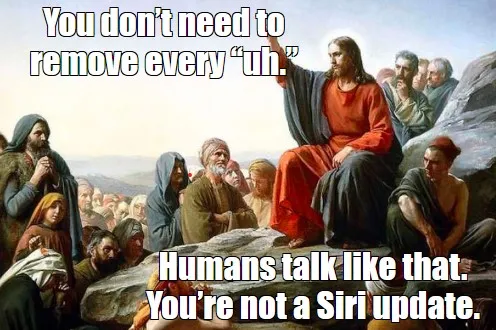
5. Edit (A Little Goes a Long Way)
You don’t have to master audio engineering. Tools like:
…help you clean up ums, ahs, and the time you forgot what you were saying.
6. Publish & Promote Without Spending a Dime
You can publish on platforms like:
- Spotify (via Anchor)
- Apple Podcasts
- Google Podcasts
Export your episodes and upload them directly to your preferred platform. Then, promote using:
- Your Instagram or LinkedIn
- Email newsletters
- Reddit and community forums
And yes, this is how you start a podcast with free tools and zero budget.
Common FAQs (AKA the Stuff Everyone’s Secretly Wondering)
1. Can I create a podcast with no budget?
Absolutely. All you need is:
- A cheap USB mic
- Free tools like Yostream and Audacity
- Your voice (seriously, that’s free)
2. What’s the best platform to record a podcast for beginners?
Yostream wins here:
- No downloads
- Clean interface
- Records right in your browser
- No tech skills required
It checks every box for someone who wants to start podcasting with no experience.
3. How long should each episode be?
Whatever fits your content:
- 10–15 mins: Daily thoughts, motivational tips
- 30–45 mins: Interviews, deep dives
- 60+ mins: Nerd-out sessions, debates
Just don’t aim to fill time. Say what you need, then wrap it up.
4. I’m nervous about sounding awkward. Help?
Join the club. Everyone sounds weird to themselves at first. Here’s what helps:
- Record a few “test” episodes and don’t publish them
- Practice talking like you're chatting with a friend
- Embrace your quirks. That’s your podcast voice.
TL;DR: You Can Host a Podcast With No Experience (And Maybe Even Crush It)
Here’s your zero-to-podcast cheat sheet:
- Pick a topic and format
- Plan your content
- Use basic gear (USB mic, headphones)
- Record using Yostream (free, browser-based, beginner-friendly)
- Edit lightly
- Publish and promote using free platforms
This is how you create a podcast using free tools, record a podcast with basic equipment, and yes, launch your show with no budget. So go ahead, start a podcast with free tools—and don’t let the tech jargon stop you.