Yostream
Yostream

Bulletin

Discover latest features, updates, and launches.

Yostream is browser-based, "no-download" live streaming studio that simplifies multi-platform broadcasting while offering professional-grade, low-latency production tools.

speaker layout

Yostream Launches Speaker Layout and Multi Speaker Layout for Live Streams

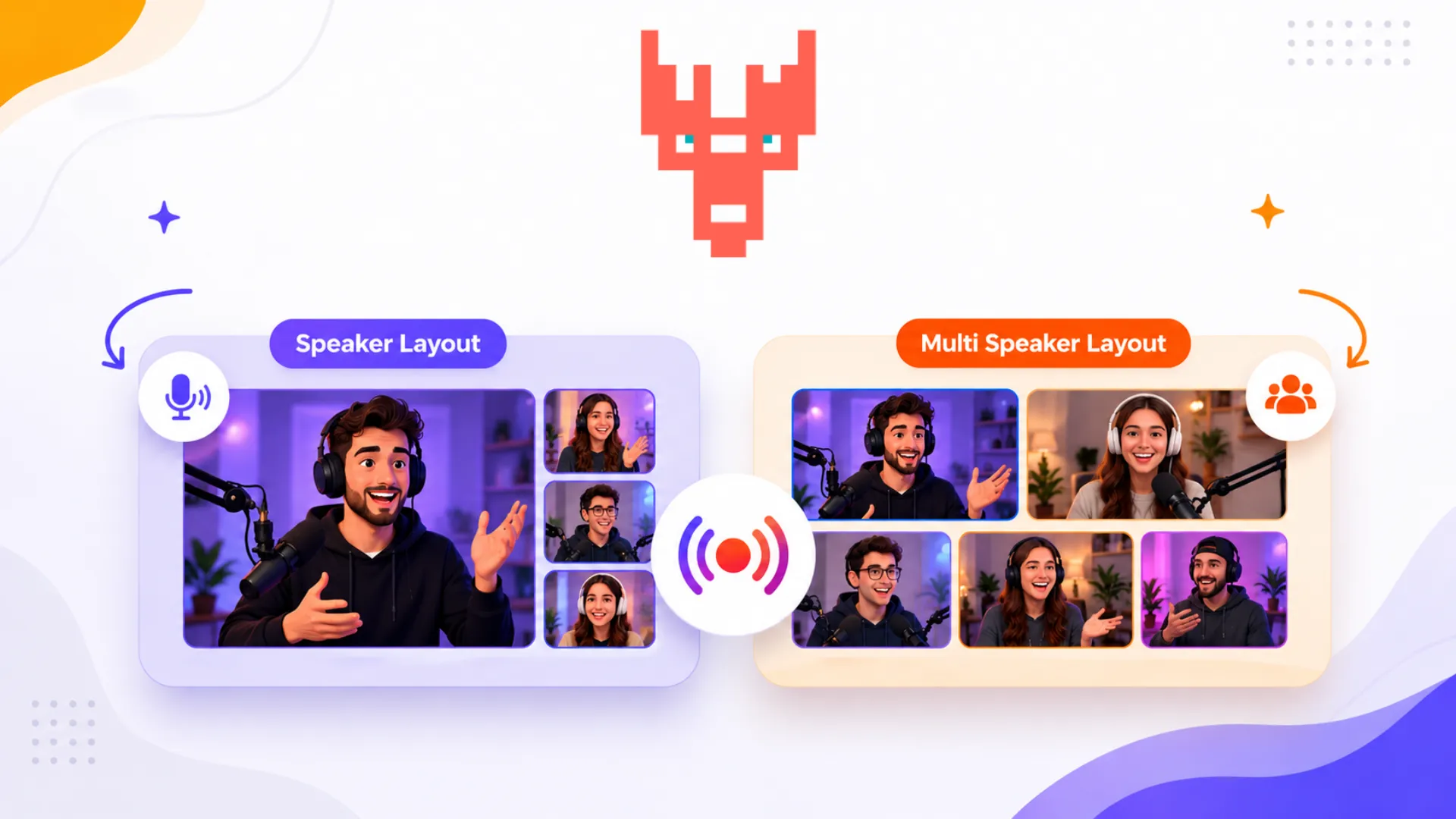
Yostream has officially introduced two new live streaming layouts: Speaker Layout and Multi Speaker Layout, designed for creators hosting interviews, podcasts, webinars, discussions, and collaborative live sessions. Speaker Layout automatically highlights the active speaker for a focused viewing experience, while Multi Speaker Layout keeps multiple participants visible simultaneously for dynamic panel-style conversations.

The new layouts are now available inside Yostream studio and can be selected directly during stream setup. These additions aim to simplify professional live production inside the browser without requiring third-party software or manual scene switching, helping streamers create cleaner and more engaging broadcasts for audiences across platforms.
embed-chat-canvas-stream

Yostream Launches Embedded Unified Chat for Live Streams

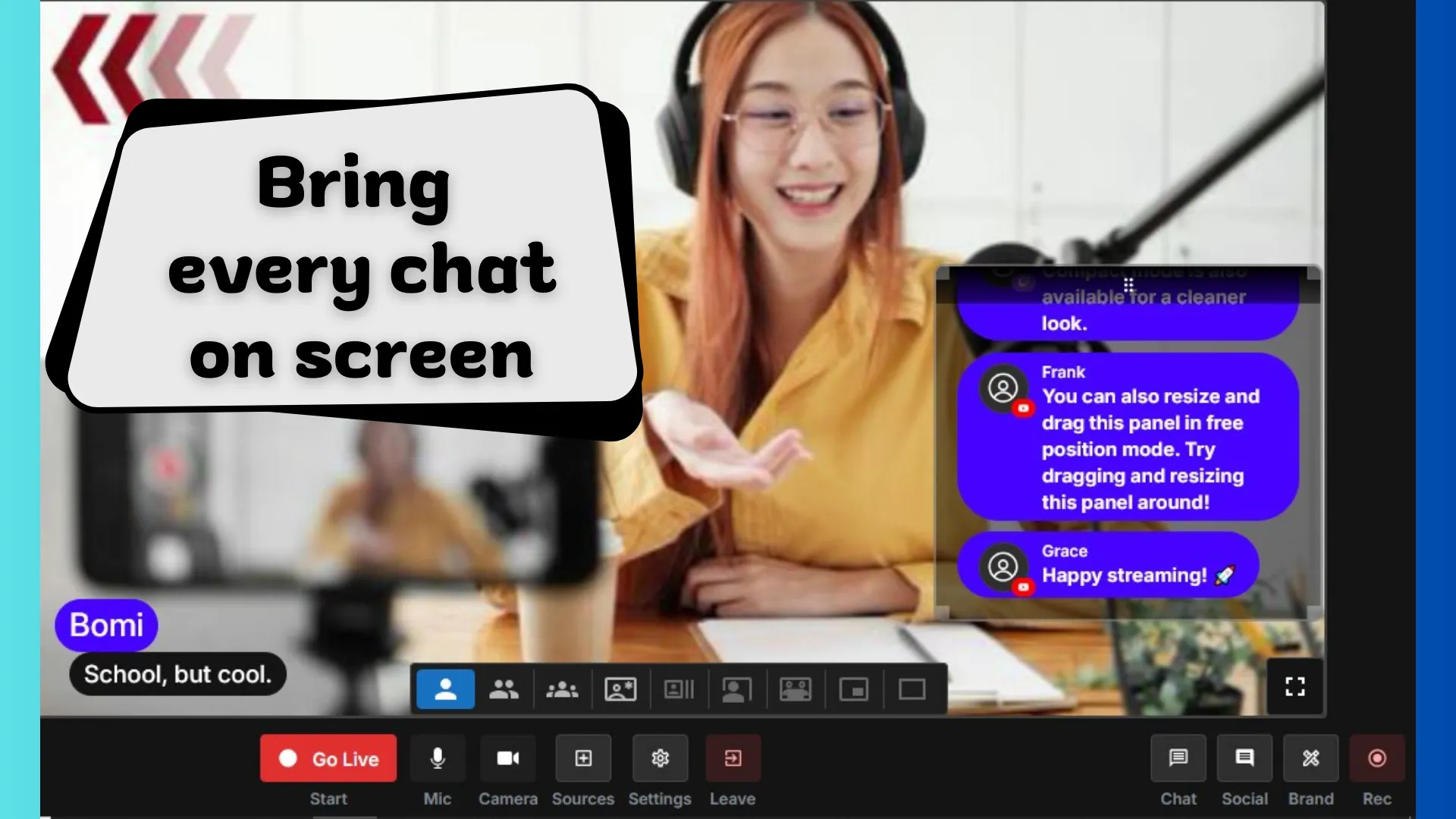
Yostream has introduced a new Embedded Chat on Canvas feature that allows live streamers to display audience messages directly inside their video stream. One of the key benefits of this update is that chat messages from multiple social media platforms are automatically unified into a single feed and shown on the streaming canvas in real time. This means comments from platforms like YouTube, Facebook, and other connected destinations can appear as on-screen chat overlays during a live broadcast. The benefits of this feature include improved audience engagement, better visibility of live interactions, and a more immersive viewing experience as viewers can see conversations unfold in real time.

The feature is built directly into Yostream’s browser-based streaming studio, so creators do not need additional software, plugins, or external overlays to display live chats. By bringing cross-platform chat messages onto the stream canvas, Yostream helps streamers, educators, journalists, and event hosts create more interactive broadcasts where audience engagement becomes visible to everyone watching the live stream.

live-stream-rtmp-source

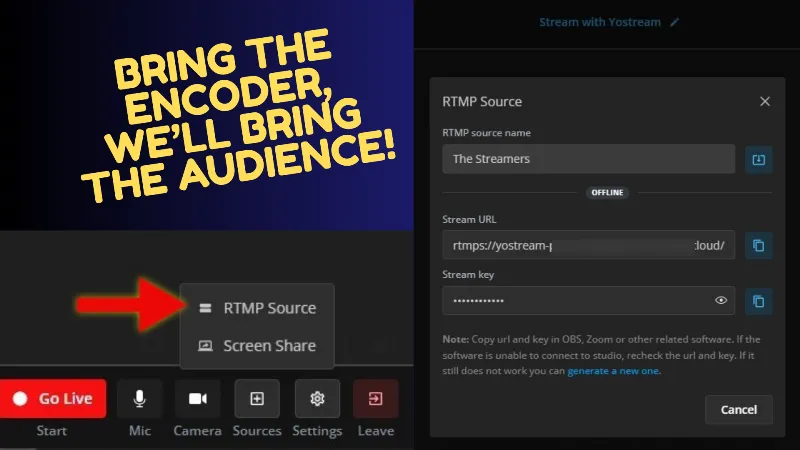
Yostream Launches RTMP Source – Now Available for Pro Users

Big news: Yostream has officially rolled out RTMP Source, exclusively for Pro plans and higher.

You can now push a live feed from OBS, Zoom, vMix, Streamlabs, XSplit, or any RTMP encoder straight into Yostream Studio. That means full 1080p60, custom overlays, green screen keying, multi-camera scenes, lower-thirds, and all your favorite production tricks – instantly ready to multistream to YouTube, Twitch, Facebook, TikTok, LinkedIn, and more at the same time.

No compromises. Keep the power and flexibility of your desktop tools while enjoying Yostream’s unified chat, on-screen comments, custom branding, backgrounds, and rock-solid delivery to every platform.

Pro users can jump in right now. Game-changer unlocked.

add-team-live-stream-podcast

New Launch: Team Collaboration for Streamers, Podcasters and Webinar Hosts

Yostream introduces its new Team collaboration feature that allows you to add team members to live streams, invite co-hosts to webinars, and include collaborators in podcast recordings. With clear roles for admins and co-hosts, your production is more secure, organized, and professional. This update is designed to help you scale content without friction and deliver better experiences for your audience.

telegram-yostream-integration

Telegram Integration is Live on Yostream!

Yostream has officially integrated Telegram streaming, making it easier than ever for creators to reach their audiences. Now you can go live directly to Telegram channels and groups without extra plugins or workarounds, while still multistreaming to platforms like YouTube, Twitch, and TikTok. With Telegram’s massive user base, this update helps educators, businesses, and content creators connect with their communities right inside the app they already use.

Start your next stream today and bring your content to Telegram with Yostream. Want to learn how? Read our step-by-step tutorial on how to live stream on Telegram with Yostream.

live-stream-trovo-guide

New Integration Alert: Yostream Now Supports Trovo Live Streaming!

Yostream now supports direct integration with Trovo, making it easier than ever to stream your content without complex setup. You can now go live on Trovo straight from your browser using Yostream, with no need for downloads or external software like OBS.

Simply enter your stream key, set up your scene, and start broadcasting. If you're new to the platform or need help setting up, check out our step-by-step guide on how to live stream on Trovo using Yostream for a complete walkthrough.

reaction

The Ultimate Layout for Reaction Videos is Here

Yostream has just released a Reaction Layout designed specifically for streamers and content creators looking to enhance their reaction videos.

This innovative layout elevates viewer engagement and simplifies the streaming process, allowing for seamless interaction and real-time feedback.

By prioritizing user experience, Yostream ensures that streamers and their audiences can connect more meaningfully, making every moment count with shared reactions.

If you're wondering how to use the new Reaction Layout, follow this step-by-step guide.