

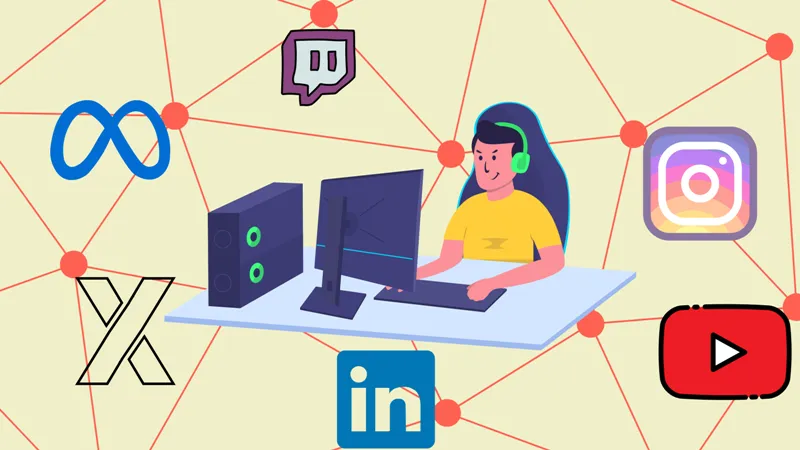
Multistreaming — broadcasting your live content to multiple platforms (like YouTube, Twitch, Facebook, and LinkedIn) at once — can be a powerful strategy to grow your audience. But for many creators, lag, buffering, and quality drops are deal-breakers.
So, how do you multistream without losing quality or lagging, even on modest internet speeds or mid-range machines?
Let’s break it down, step by step.
What Is Multistreaming?
Multistreaming is the process of sending your live stream to multiple platforms simultaneously. Instead of choosing just one destination, you go live everywhere your audience might be.
✅ Benefit: Bigger reach
⚠️ Risk: Higher resource demand on your internet and CPU — which causes lag, buffering, or pixelation if not handled right.
Common Problems With Multistreaming
| Problem | Why It Happens | Impact on Viewer |
|---|---|---|
| Lagging or freezing stream | Low bandwidth or high CPU load | Viewers drop off |
| Low stream quality | Wrong bitrate/resolution settings | Looks unprofessional |
| Delayed audio/video sync | Encoding overload | Breaks immersion |
| Platform-specific errors | Manual setup issues | Streams fail or glitch out |
If you’ve faced any of these, you’re not alone.
How to Multistream Without Losing Quality or Lagging
To multistream without buffering, lag, or CPU overuse, follow this proven framework:
1. Choose the Right Multistreaming Software
Yostream is ideal for creators who want to multistream without lag — it’s browser-based, requires no downloads, and consumes very little system resources.
Why Yostream?
- No downloads or plugins required
- Browser-based: saves CPU & RAM
- Built-in multistream support to all major platforms (Custom RTMP available).
- Optimized for low-latency, low-bandwidth conditions
2. Optimize Your Internet Connection
Multistreaming eats bandwidth. Here's how to prep:
| Stream Quality | Upload Speed Required (per platform) |
|---|---|
| 720p @ 30fps | 3–4 Mbps |
| 1080p @ 30fps | 5–6 Mbps |
| 1080p @ 60fps | 8–10 Mbps |
Checklist:
- Use wired Ethernet (not Wi-Fi)
- Disable background uploads/updates
- Run a speed test before going live
3. Use the Best Settings for Multistreaming
The wrong encoder or resolution can crush your performance.
| Setting | Recommended Value |
|---|---|
| Video Resolution | 720p or 1080p |
| Frame Rate | 30fps (or 60fps if GPU allows) |
| Bitrate | 2500–6000 kbps |
| Encoder | Hardware (NVENC) or software (x264) |
| Keyframe Interval | 2 |
| CPU Usage Preset | Faster / veryfast |
| Audio Bitrate | 128 kbps (AAC) |
Use hardware encoding if your system supports it to multistream without high CPU usage.
4. Don’t Use Your Local Machine to Do All the Work
If you’re using OBS or a downloaded encoder, your CPU is under pressure.
With Yostream, the stream is encoded and processed in the cloud. This means no lag, no frame drops, and no overheating — even on a budget laptop.
5. Reduce Stream Load With Cloud-Powered Routing
Some tools (like OBS or Restream Studio) send multiple copies of your stream from your system — which clogs your internet and CPU.
With Yostream:
- You upload just one stream
- We distribute it to all platforms for you
- Result: You multistream without buffering or lag
Can I Multistream Without a High-End PC?
Yes.
Multistreaming used to demand a beast of a machine, but browser-based tools like Yostream have changed the game. Using Yostream, you can stream smoothly even with a low-end PC.
"Yostream is optimized for multistreaming without high CPU usage, even on Chromebooks or older laptops."
FAQs on Multistreaming Without Lag or Buffering
1. How do I multistream without lag on a slow internet connection?
- Lower your resolution to 720p
- Reduce your bitrate
- Use Yostream (cloud-based encoding helps a lot)
2. Does multistreaming reduce my stream quality?
Only if:
- You’re manually pushing multiple streams from your device
- Your upload speed or CPU is overused
With smart routing (like Yostream’s), quality remains consistent.
3. Can I multistream without buffering on mobile data?
It’s risky, but possible if:
- You use low bitrate (under 2500 kbps)
- Use cloud-based software
- Avoid multitasking or hotspot instability
Final Tips: How to Multistream Without Losing Quality
- ✅ Use cloud-based software like Yostream
- ✅ Stick to optimal multistreaming settings
- ✅ Maintain strong upload speeds
- ✅ Monitor CPU/GPU load
- ✅ Test before going live!
Pro Tip: Test Private Streams First
Before you go public, always run a test stream:
- Send a private broadcast
- Monitor CPU, bitrate, dropped frames
- Make changes before going live to real viewers
Recap: Why Yostream Is the Best Choice
If you want to:
- Multistream without lag
- Multistream without buffering
- Avoid losing quality
- Avoid high CPU usage
Then Yostream gives you everything — browser-based, no-download, cloud-powered multistreaming that just works.