

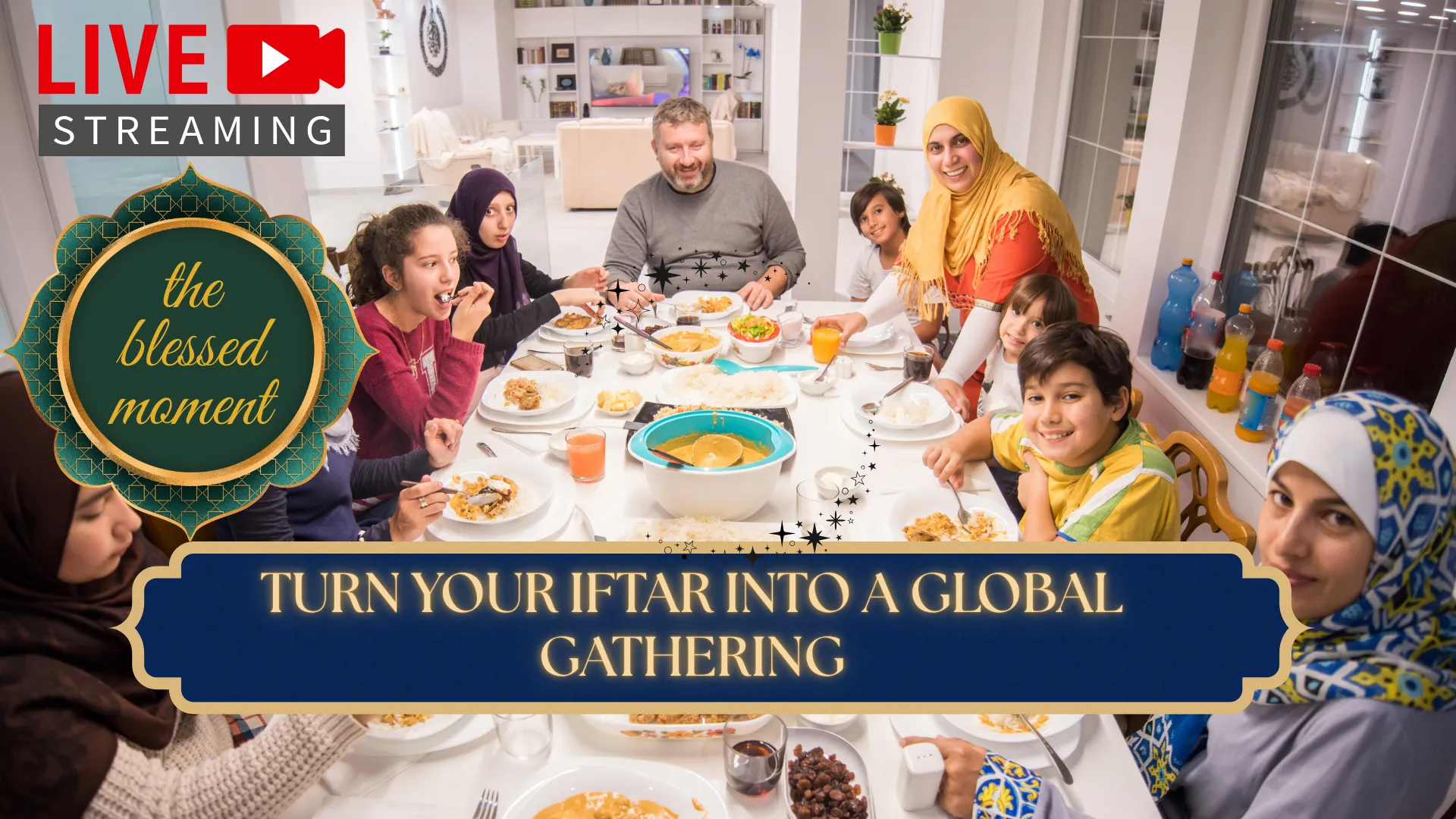
The moment of Iftar is spiritually charged. Families gather, duas are made, and the fast is broken with gratitude. But not everyone can be at the mosque for this blessed time. Commuters stuck in traffic after work. Elderly community members who cannot travel at night. Muslims in areas without local mosques. Students away from home.
If your mosque or Islamic center wants to extend the blessings of Iftar to your entire community, you need to know how to broadcast daily Iftar programs during Ramadan. This comprehensive guide walks through every step of producing professional, engaging Iftar broadcasts that connect remote viewers to the spiritual experience of breaking the fast together.
Broadcasting Iftar programs combines technical setup with spiritual intention. The goal is not just to stream video, but to create an immersive experience that transports viewers into the mosque's atmosphere. When done right, your broadcast becomes a bridge between those present and those watching from home.
This guide builds on our previous resource about How to Live Stream Ramadan Taraweeh Prayers Online. While Taraweeh focuses on night prayers, Iftar programs have unique requirements: pre-iftar lectures, the exact moment of Maghrib, communal meals, and post-prayer gatherings. Let's explore everything you need.
Why Broadcast Iftar Programs? Understanding the Impact
Reaching Your Community Beyond the Mosque Walls
Live streaming allows Islamic services to reach a global audience, breaking physical and time barriers. The Islamic Center of England recently launched "Spiritual Iftar," a program broadcast daily on their YouTube page beginning 30 minutes before Maghrib Adhan and continuing until 40 minutes after the call to prayer.
Given the coincidence of the Maghrib call to prayer with the end of office hours and commuting difficulties in major cities, producing Iftar programs with wider schedules allows audiences to benefit from rich spiritual and educational content even on the way home or at home.
Creating Immersive Spiritual Experiences
The goal should be to make your broadcast feel more like an immersive cultural experience and less like a lecture. The audience should not just leave with knowledge about Ramadan, but a feel for its spiritual experience.
When viewers can see the dates being passed, hear the collective "Ameen" as dua is made, and witness the unity of the community breaking fast together, they feel connected despite physical distance.
Building Bridges Through Broadcast
Ramadan is a great time to reach out to friends from other communities to share our stories and values. Broadcasting Iftar programs allows non-Muslim neighbors, colleagues, and friends to observe and understand Ramadan traditions. Some communities organize civic iftars bringing government, civic, faith leaders, and friends together to learn about Ramadan. Your broadcast can extend this bridge-building beyond your immediate locality.
What Types of Iftar Programs Can You Broadcast?
Pre-Iftar Educational Programs
Many mosques broadcast lectures or Qur'an study sessions in the hour leading up to Maghrib. The Islamic Center of England's "Spiritual Iftar" program includes interpretation of the Holy Quran, statement of religious rulings, explanation of Islamic virtues, moral discussions, prayer, and recitation of the Quran.
Program elements to consider:
- 30-45 minutes of lecture or Quran study before Maghrib
- Countdown to Iftar with reminders about the significance of breaking fast
- Translation of the Adhan for non-Arabic speakers
The Iftar Moment Broadcast
This is the core of your program. The exact moment of breaking fast carries immense spiritual weight. Your broadcast should capture:
- The call to Maghrib prayer (Adhan)
- Community breaking fast with dates and water
- Collective dua and supplication
- Brief explanation of the prayer viewers are about to observe
Maghrib Prayer Broadcast
After Iftar, the congregation prays Maghrib. This connects naturally to your Taraweeh streaming setup. If you have already configured your system for Taraweeh using our guide, you can seamlessly transition from Iftar broadcast to prayer broadcast.
Post-Iftar Community Programming
Some mosques continue broadcasting after Maghrib prayer with:
- Community announcements
- Interviews with guests or scholars
- Discussions about the night's Taraweeh schedule
- Highlights of charitable initiatives
Suhoor Programs (Pre-Dawn)
For those awake for Suhoor, some centers broadcast pre-dawn programs. The Islamic Center of England produces "Month of Imam," broadcast in Persian about 50 minutes before the dawn call to prayer, connecting the atmosphere of Ramadan dawn with recitation, prayers, and teachings.
What Equipment Do You Need for Iftar Broadcasting?
Iftar programs have unique equipment requirements because they span different activities: lectures, the Iftar moment, and prayer.
Camera Considerations
| Program Segment | Camera Setup | Best For |
|---|---|---|
| Pre-Iftar Lecture | Single camera on speaker | Educational content |
| Iftar Moment | Wide shot of community | Capturing collective experience |
| Meal Time | Multiple angles or roaming camera | Community connection |
| Maghrib Prayer | Same as Taraweeh setup | Transition to prayer broadcast |
Recommended camera types:
- PTZ cameras for remote operation during meal times
- Smartphones on tripods for budget-friendly multiple angles
- DSLR/mirrorless for high-quality lecture capture
Audio Requirements for Iftar
Clear audio is critical for Iftar programs. Viewers need to hear:
- The speaker's lecture clearly
- The Adhan at Maghrib
- Collective duas and supplications
Audio setup:
- Connect to mosque sound system for microphone feeds
- Place ambient microphones to capture community atmosphere during Iftar
- Test audio levels before each day's broadcast
Lighting Considerations
Iftar timing changes throughout Ramadan. Early in the month, Maghrib may be earlier; later in Ramadan, it falls later. Your lighting needs will vary. Ensure your imam and speakers are well-lit regardless of natural light conditions.
How to Structure Your Iftar Broadcast Schedule
Sample Iftar Broadcast Agenda
| Time | Segment | Duration | Content |
|---|---|---|---|
| 30 min before Maghrib | Pre-Iftar Program | 25 min | Quran recitation, lecture, reminders -3 |
| 5 min before Maghrib | Iftar Countdown | 5 min | Dua, preparation for breaking fast |
| Maghrib time | Iftar Moment | 5-10 min | Adhan, breaking fast with dates, collective dua -1 |
| After Iftar | Maghrib Prayer | 10-15 min | Congregational prayer broadcast |
| After Prayer | Post-Iftar Program | 15-30 min | Announcements, discussion, community highlights |
Scheduling Considerations
- Set arrival time for your production team 60-90 minutes before Iftar to ensure everything is ready
- Consider that many community members will leave for Isha shortly after dinner, so post-meal programming should be concise
- For Suhoor programs, schedule 50-60 minutes before Fajr Adhan
How to Set Up Your Streaming Software for Iftar Programs
Option 1: Yostream for Simplicity and Multistreaming
Yostream's browser-based platform is ideal for Iftar programs because:
- No software installation required, perfect for rotating volunteers
- Multistreaming to YouTube, Facebook, and other platforms simultaneously
- Custom branding to add your mosque's logo and program information
- Guest invitation features for remote speakers
Step-by-step Yostream setup:
- Create your free account at yostream.io
- Select Start Live Stream in your dashboard to enter the studio
- Select your camera and audio inputs
- Add custom branding with your mosque logo and Iftar program title
- Configure your streaming destinations (YouTube, Facebook, etc.)
- Go live before your pre-Iftar program begins
Option 2: OBS Studio for Advanced Production
For more control over multiple camera angles and scenes, OBS Studio offers flexibility:
- Create scenes for lecture, Iftar moment, and prayer
- Switch between cameras seamlessly
- Add text overlays with prayer times and announcements
- Record locally for archive purposes
Using Yostream's RTMP Source with OBS
If you want OBS production control with Yostream's distribution reach, use RTMP Source. This setup allows you to:
- Produce your multi-camera Iftar program in OBS
- Send the OBS output to Yostream via RTMP
- Let Yostream handle multistreaming to all platforms
- Maintain your volunteers' familiarity with OBS while gaining Yostream's distribution benefits
For detailed RTMP Source setup instructions, refer to our OBS to Yostream RTMP Source Tutorial.
How to Make Your Iftar Broadcast Engaging and Immersive
Create an Experience, Not Just a Stream
The audience should not just leave with knowledge about Ramadan, but a feel for its spiritual experience. Here's how:
Visual elements:
- Show the dates, water, and food being prepared
- Capture the diversity of your community
- Display artwork, decorations, and traditional elements
Audio elements:
- Mix speaker audio with ambient community sounds
- Allow viewers to hear the collective "Ameen"
- Ensure the Adhan comes through clearly
Include Interactive Elements
- Live chat moderation: Assign someone to monitor comments and share duas from remote viewers
- On-screen duas: Display supplications for viewers to recite along
- Q&A segments: Take questions from online viewers during pre-Iftar programs
- Community spotlights: Introduce 5 community members from the stage showing diverse faces and professions
Add Translation and Accessibility Features
For non-Arabic speakers or non-Muslim viewers observing:
- Translate the Adhan before it is called: "You are about to hear The Adhan, the call for prayer"
- Provide English translations of duas and supplications
- Use on-screen text to explain what is happening during prayers
Create Keepsakes and Takeaways
Consider digital party favors or takeaways for remote viewers:
- Printable dua cards for download
- Digital nameplates in Arabic calligraphy
- Links to recommended charities for Sadaqah donations
- QR codes displayed on screen linking to your mosque's donation page
How to Handle the Transition from Iftar to Maghrib Prayer
One of the most challenging aspects of Iftar broadcasting is the transition from the meal moment to prayer.
Technical Transition
- As Iftar ends, prepare your camera angles for prayer
- If using OBS, have a dedicated "Prayer" scene ready
- Ensure audio switches from ambient meal mics to prayer-focused sound system feed
Viewer Experience Transition
- Briefly explain the prayer viewers are about to observe and translate some aspects
- Designate a viewing area for those who wish to observe the prayer
- Some viewers may choose to pray along; others may observe quietly
Practical Tip
During dinner, have at least one community member available to keep conversation going with viewers through chat. Have discussion questions prepared for those interested: "Any thoughts about what you observed? How does fasting take place in other religious traditions?"
How to Promote Your Daily Iftar Broadcasts
Pre-Ramadan Promotion
- Announce your broadcast schedule at least two weeks before Ramadan
- Create graphics with program timing (remember times change throughout the month)
- Share on mosque social media, WhatsApp groups, and email lists
Daily Reminders
- Post the day's program schedule each morning
- Remind viewers 30 minutes before start time
- Share the link across all platforms
Leverage Multiple Platforms
Use Yostream's multistreaming to reach viewers on:
- YouTube (for searchability and archiving)
- Facebook (for community engagement)
- Your mosque website (embedded stream)
- Custom RTMP to additional platforms
Common Iftar Broadcasting Challenges and Solutions
Challenge: Iftar Time Changes Daily
Solution: Create a schedule graphic with adjustable fields. Update your streaming software's on-screen text daily. Yostream's branding tools allow quick text updates without restarting the stream.
Challenge: Commuters Tuning In During Drive Home
Many community members will be commuting during pre-Iftar programming. Consider creating an audio-only option through:
- Traditional radio broadcast partnerships
- Streaming platforms that support background audio
- Podcast-style recordings available after live broadcast
Challenge: Multiple Camera Angles with Limited Volunteers
Solution: Use PTZ cameras that can be controlled remotely by one operator. Or keep it simple with one well-positioned camera that captures both the speaker and the Iftar table.
Challenge: Audio Mixing Between Speaker and Ambient Sound
Solution: Use a mixer that combines sound system feed (for speakers) with ambient microphones (for atmosphere). Test levels before each broadcast.
Challenge: Maintaining Energy Across 30 Days
Broadcasting daily for an entire month is exhausting. Solutions:
- Rotate production teams
- Pre-record some content segments
- Use Yostream's scheduling features to automate start times
- Bring in guest speakers and hosts to vary the program
Frequently Asked Questions About Iftar Broadcasting
1. What time should I start my Iftar broadcast?
Start 30-60 minutes before Maghrib to allow for pre-Iftar programming. This gives commuters time to tune in during their drive home and creates anticipation for the Iftar moment.
2. Can I broadcast the actual meal?
Yes, but be mindful of privacy. Show wide shots of the community eating rather than close-ups of individuals. The goal is to convey the communal spirit, not to make anyone uncomfortable.
3. How do I handle the Adhan broadcast?
Play the Adhan live from your mosque. If you have non-Muslim viewers, briefly explain what they are about to hear before it begins.
4. Should I broadcast the Maghrib prayer immediately after Iftar?
Yes, this creates a natural flow. Many viewers will pray along with the congregation remotely. This is where your Taraweeh streaming setup connects directly to your Iftar broadcast.
5. What internet speed do I need for Iftar broadcasting?
For 1080p streaming, you need 5-10 Mbps upload speed. For 720p, 3-5 Mbps may suffice. Always maintain headroom above your streaming bitrate. If broadcasting during peak evening hours when neighbors are also online, ensure your connection can handle the load.
6. Can I have remote guests join my Iftar program?
Yes. Yostream allows you to invite multiple guests to join via browser links. This is perfect for:
- Remote scholars who cannot attend in person
- Community members sharing Iftar from home
- Interfaith guests from other cities
7. How do I display Iftar times that change daily?
Use on-screen text overlays that you can update quickly. In Yostream, you can modify branding text in real-time without interrupting your stream. In OBS, create a text source linked to a Google Sheet or file for automatic updates.
8. Should I record my Iftar programs for later viewing?
Absolutely. Recordings serve as:
- Archives for those who missed live
- Resources for future programming
- Content for social media clips
- Documentation of your community's Ramadan traditions
Use Yostream's recording feature or OBS local recording to save copies.
9. Can I broadcast Suhoor programs with the same setup?
Yes. The same equipment and software work for Suhoor. Just adjust your lighting for pre-dawn conditions and ensure your production team is available at those hours.
10. How do I handle Laylat al-Qadr special programming?
For the last 10 nights, consider extended broadcasts:
- Longer pre-Iftar programs
- Special guests and speakers
- Night-long programming connecting Iftar to Tahajjud and Suhoor
- Increased chat moderation for higher viewership